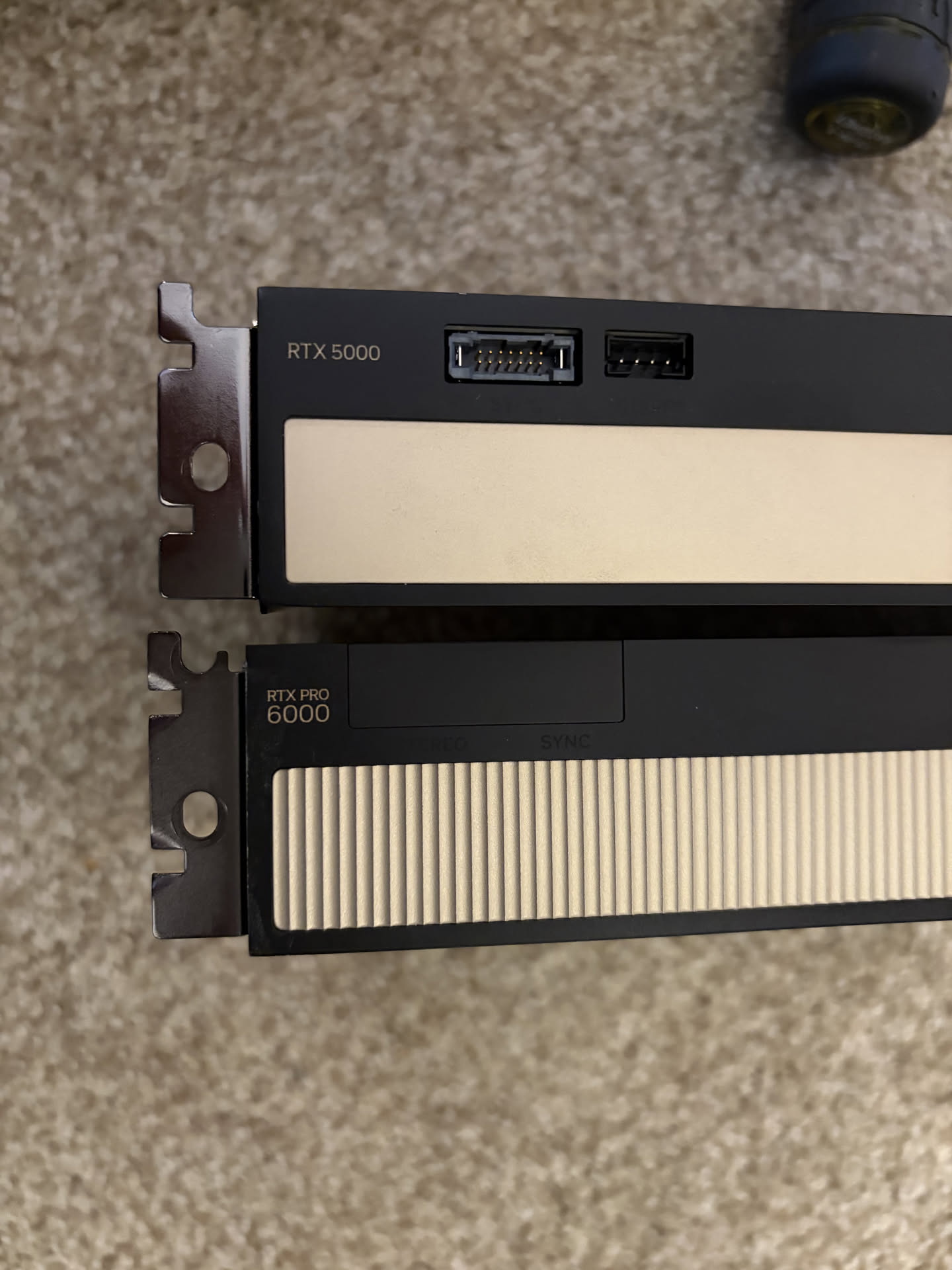
Triple RTX Pro 6000 Upgrade
Preface
Well, it's only been 6 months since the purchase of a second RTX Pro 6000, and a lot has changed since then.
My main daily driver when I upgraded to a dual GPU inference server was Minimax 2.7. It was the best model I was able to fit on 2 GPUs, but it still had that "local model" behavior where it'd fixate very strongly on the initial prompt and you'd just not be able to steer off of it unless you start a brand new session.
Just a month ago, Deepseek V4 Flash dropped. DSv4F was the first model that gave me very strong "SOTA" vibes from a local model, where I've been essentially able to treat it like paid models that I use at work and the experience was not too different. And not only that, it fits on two GPUs.
While being able to run DSv4F was a really really cool experience, I still had a bit of LLM FOMO, where I missed out on Minimax 3.0, MiMo v2.5, and I expected another model that would not fit on 2x GPUs to drop anytime soon.
And exactly that just happened, GLM 5.3 Flash was released, and a lot of people were calling it "Local Opus".
Purchasing decisions
The worst part of all is that Nvidia bumped up all of their GPU prices, and the RTX Pro 6000 nearly doubled, from 9k USD -> 15k USD.
My conspiracy theory is that the only way there were able to make the DGX Station worth its price tag was to increase the price of the RTX Pro 6k, because a lot of people were calling the DGX Station as dead-on-arrival due to its relative VRAM size vs the pace at which open weight models are getting bigger, and also how it's not competitively priced vs the RTX Pro 6ks.
That said, my current recommendation for anyone jumping into the local LLM scene is to look at the 72GB variant of the RTX Pro 5000.
 NVIDIA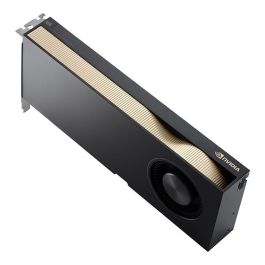
This also got a price hike but at 9000 USD and the current state of GPU and memory pricing, it's actually quite a good deal. 😔🔫
AMD side, the R9700/R9600D, and Intel's Arc Pro B70s are still VERY competitively priced for their VRAM, but you're getting more of a generalist workstation than an AI-first GPU, due to their low memory bandwidth.
Server Build
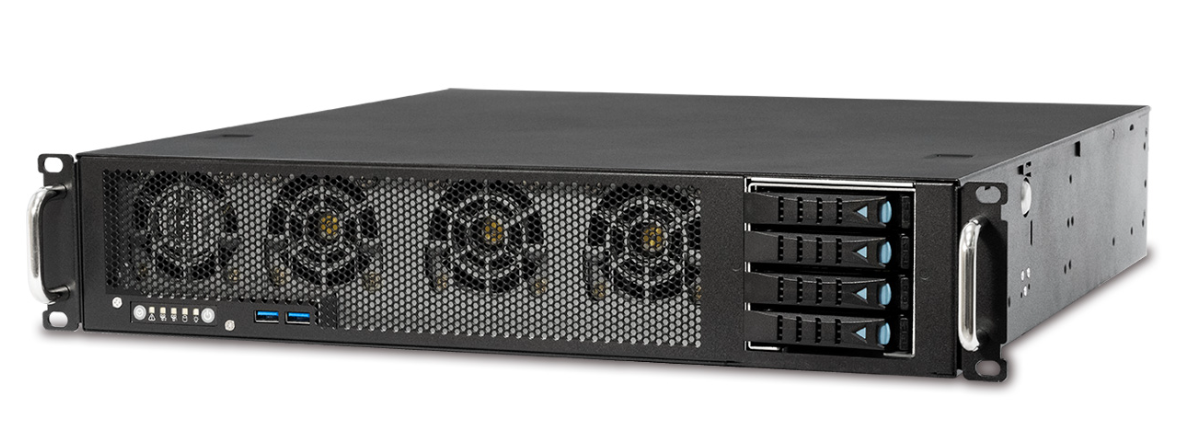
It was time to part ways with my 2U build, as 2Us just can't fit more than a single FH/FW GPU.
This makes me a bit sad because I liked everything about the 2U chassis (AIC RMC 2e), the layout was incredibly thought out, it was well built, and I still plan to find a use for it in the future when my rack ends up expanding.
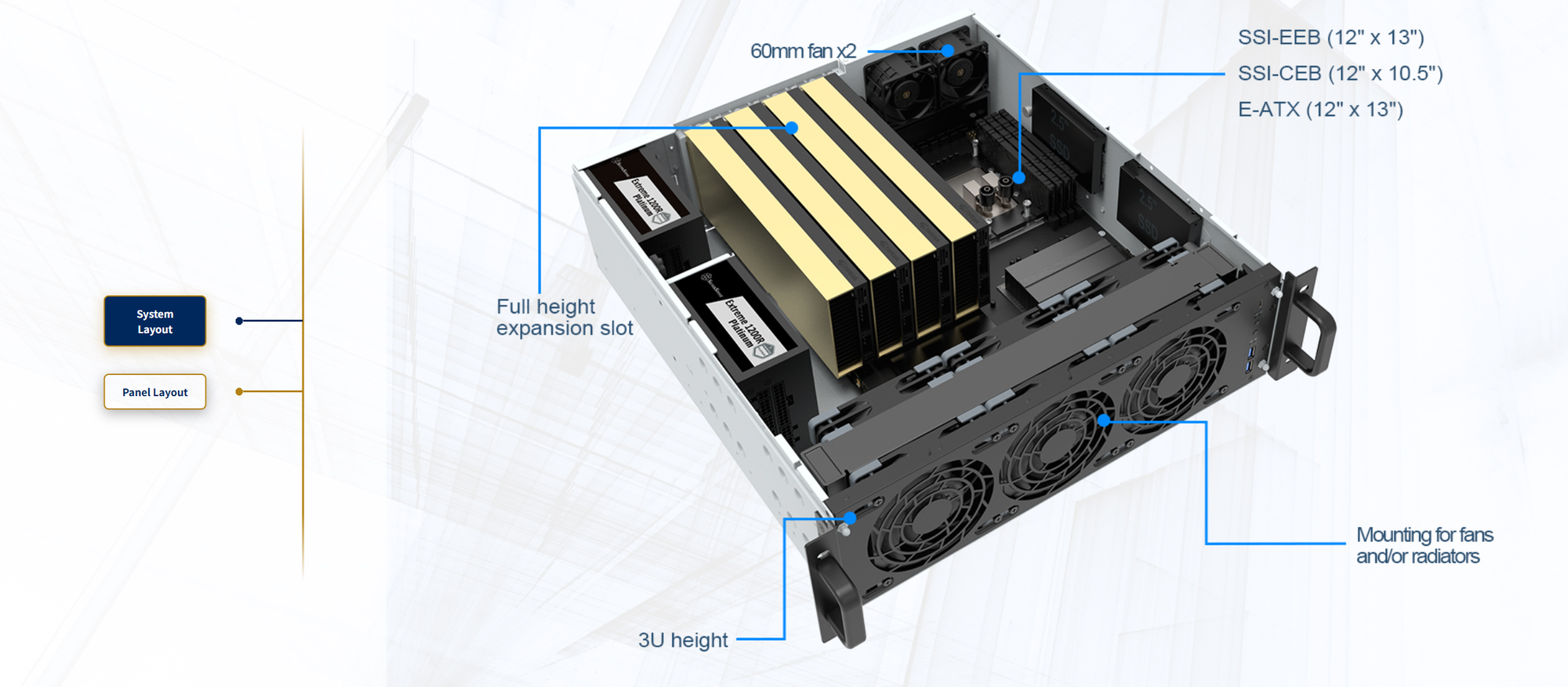
After bit of extensive research, I ended up going with the Silverstone RM31, a short-depth 3U server chassis that is also incredibly compact, yet designed to fit essentially everything, including 2 PSUs.
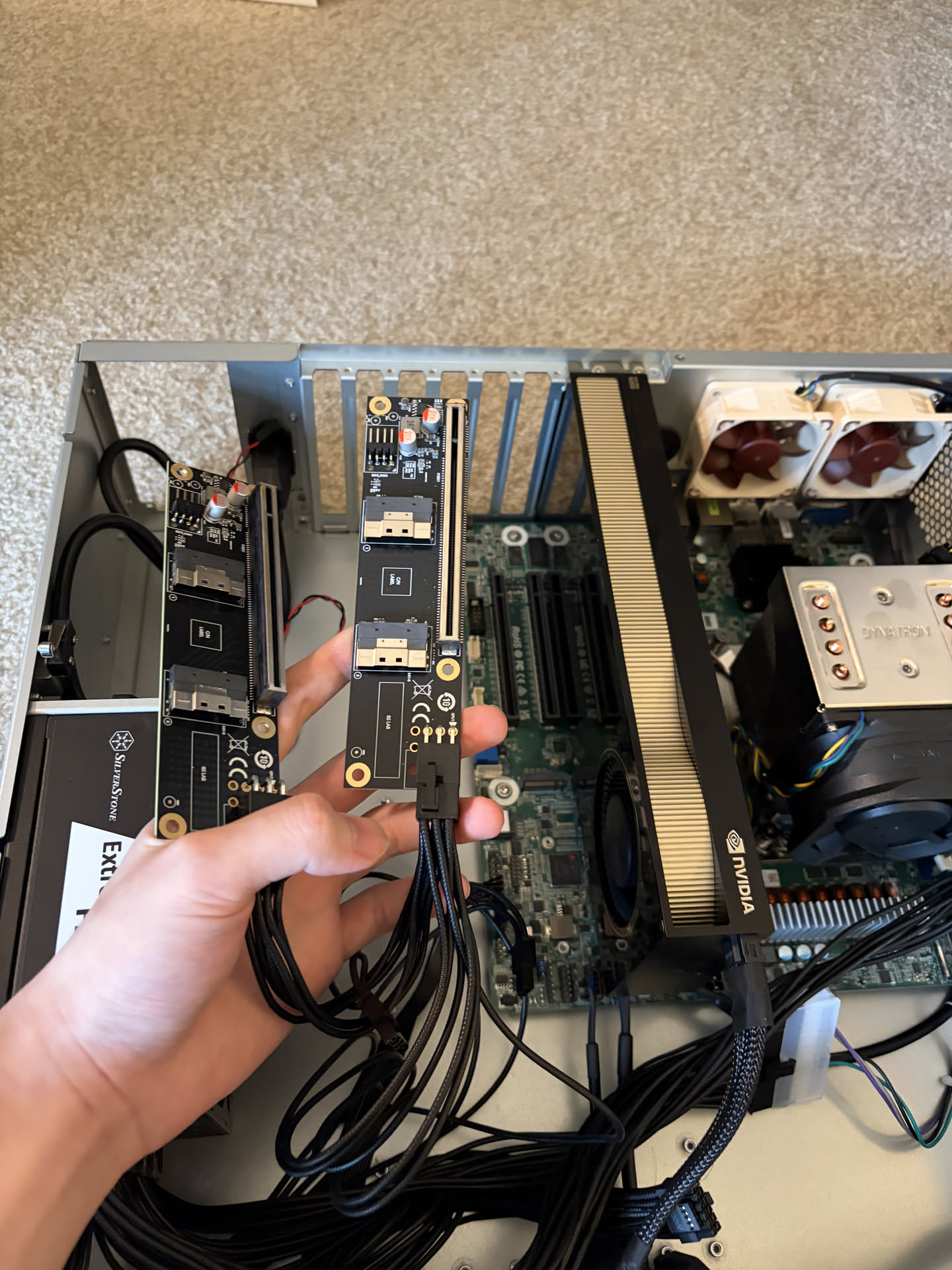
One thing I realized during the build was that the Asrock ALTRAD8UD-1L2T motherboard that powers my server actually cannot fit more than 2 GPUs, because its physical layout makes 2 of its 4 physical PCIe lanes unusable because the GPUs will sit over them.
I ended up purchasing these SlimSAS to pcie adapters, apparently used very commonly in crypto mining.
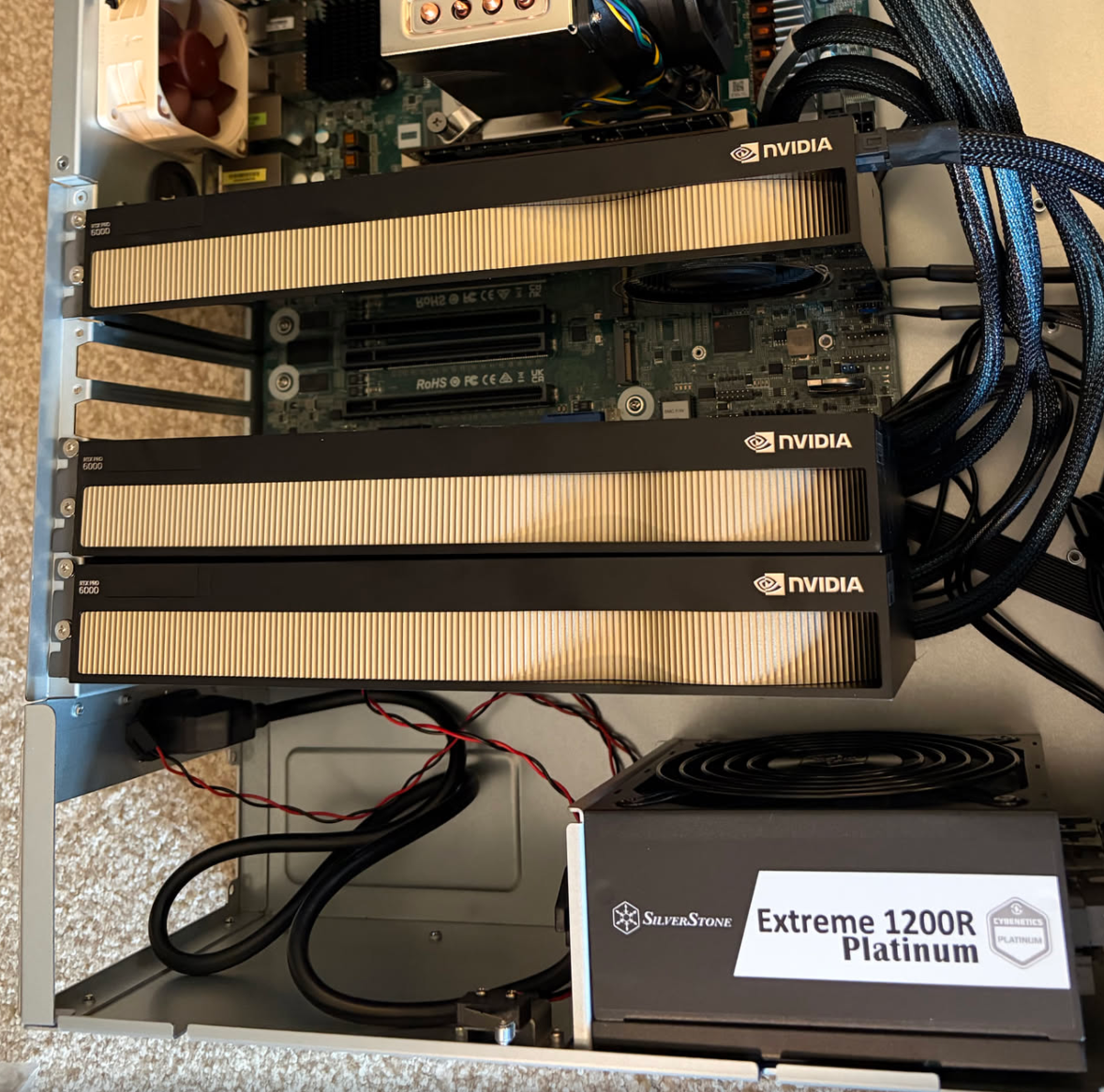
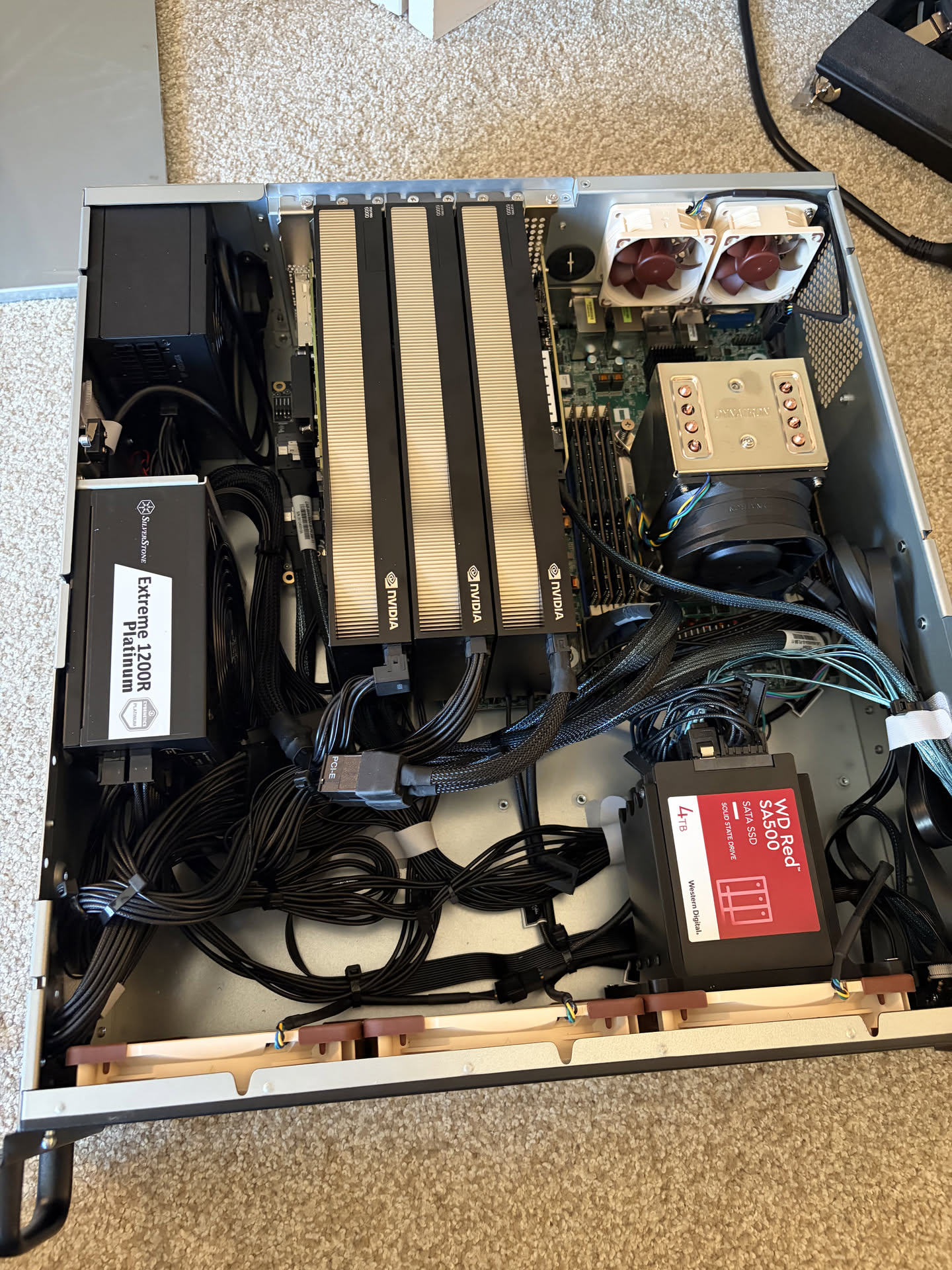
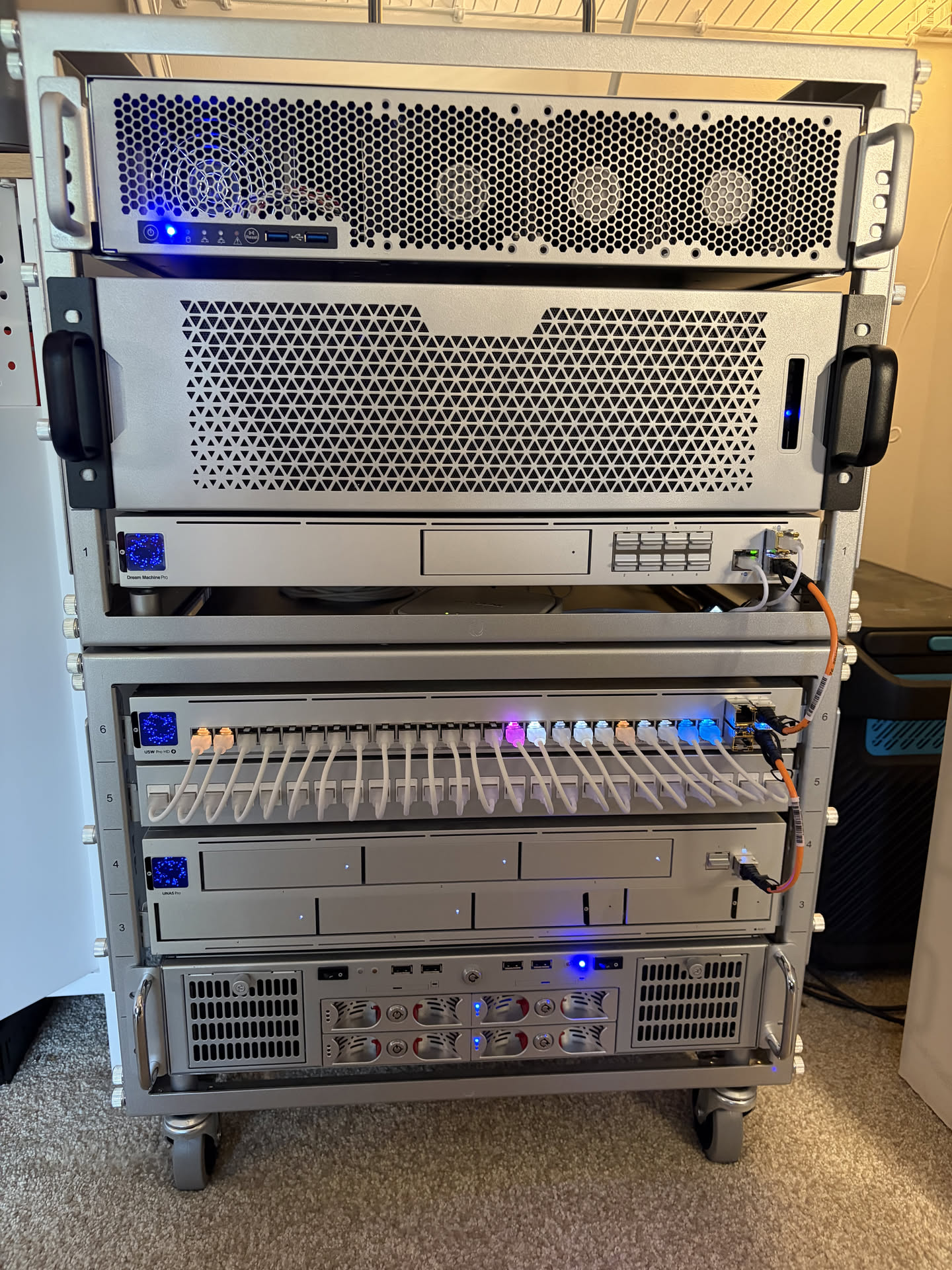
Below is the final installation. The build utilizes dual PSUs, a 3d printed bracket for the SSDs used in my zfs pool, and a bunch of cable ties. My Mellanox card and LSI SATA controller cards also made it in the build, utilizing all physical PCIe slots available on the chassis.
$ nvidia-smi
Sun Sep  6 21:18:35 2026
+-----------------------------------------------------------------------------------------+
| NVIDIA-SMI 580.178.04             Driver Version: 580.178.04     CUDA Version: 13.0     |
+-----------------------------------------+------------------------+----------------------+
| GPU  Name                 Persistence-M | Bus-Id          Disp.A | Volatile Uncorr. ECC |
| Fan  Temp   Perf          Pwr:Usage/Cap |           Memory-Usage | GPU-Util  Compute M. |
|                                         |                        |               MIG M. |
|=========================================+========================+======================|
|   0  NVIDIA RTX PRO 6000 Blac...    On  |   00000001:01:00.0 Off |                  Off |
| 30%   47C    P8             14W /  250W |       1MiB /  97887MiB |      0%      Default |
|                                         |                        |                  N/A |
+-----------------------------------------+------------------------+----------------------+
|   1  NVIDIA RTX PRO 6000 Blac...    On  |   00000004:02:00.0 Off |                  Off |
| 30%   46C    P8             19W /  250W |       1MiB /  97887MiB |      0%      Default |
|                                         |                        |                  N/A |
+-----------------------------------------+------------------------+----------------------+
|   2  NVIDIA RTX PRO 6000 Blac...    On  |   0000000C:01:00.0 Off |                  Off |
| 30%   41C    P8             17W /  250W |       1MiB /  97887MiB |      0%      Default |
|                                         |                        |                  N/A |
+-----------------------------------------+------------------------+----------------------+
Running GLM 5.3 Flash
The vllm version I'm using is a build of a community fork, alongside a community kernel, driven by the sm120 (consumer blackwell) owner community discord. Since there are no ready made ARM docker image, everything I run is on bare metal, vllm checked out and locally rebuilt.
The fork is critical not just for GLM 5.3 Flash support in general, but because TP=3 is quite an awkward setup to run LLM models.
TP divides critical model dimensions and equally distribute to the GPUs. For most models, none of the dimensions divide by three. Thus to get TP=3 to work, vllm code pads each axis, then shards the padded model. The padding carry zero weights and contribute nothing to the output.
| Axis | Checkpoint | Padded to |
|---|---|---|
| Attention heads | 64 | 72 |
| Linear / KDA heads | 64 | 66 |
| Shared expert intermediate | 2048 | 2112 |
| Vocabulary | 154,880 | 154,944 |
The following is the NVFP4 checkpoint that is used:

The following is my launch configuration:
# b12x is pure Python and JIT-compiles its sm120 kernels through the CuTe DSL,
# so it goes on the path rather than being installed.
export B12X_DIR="$SRC/b12x"
export SPARKINFER_DIR="$B12X_DIR"
export PYTHONPATH="$B12X_DIR:$SRC/vllm"
export CUTE_DSL_ARCH=sm_120a

# The venv's bin directory must be on PATH, not just its interpreter: the
# Marlin and CuTe kernels shell out to ninja at engine start.
export CUDA_HOME=/usr/local/cuda-13.0
export PATH="$VENV/bin:$CUDA_HOME/bin:$PATH"

# b12x JIT-compiles through NVRTC and needs the wheel's CUDA 13 builtins.
export LD_LIBRARY_PATH="$($VENV/bin/python -c 'import sysconfig;print(sysconfig.get_path("purelib")+"/nvidia/cu13/lib")'):$LD_LIBRARY_PATH"

# Cap JIT fan-out. FlashInfer compiles fused-MoE kernels at engine start and,
# unbounded, spawned 76 concurrent cicc processes here. Workers were killed
# mid-startup with no traceback: the log simply stops.
export MAX_JOBS=8 NVCC_THREADS=2

export CUDA_DEVICE_ORDER=PCI_BUS_ID
export VLLM_WORKER_MULTIPROC_METHOD=spawn
export PYTORCH_CUDA_ALLOC_CONF=expandable_segments:True
export VLLM_B12X_MOE_FP4_FORCE_A16=1
export SAFETENSORS_FAST_GPU=1
export OMP_NUM_THREADS=16

# Collectives. Try the b12x PCIe one-shot all-reduce; see the note below.
export VLLM_ENABLE_PCIE_ALLREDUCE=1
export VLLM_PCIE_ALLREDUCE_BACKEND=b12x
export NCCL_IB_DISABLE=1
export NCCL_P2P_LEVEL=SYS
export NCCL_CUMEM_ENABLE=0

python -m vllm.entrypoints.cli.main serve "$MODEL_PATH" \
  --served-model-name GLM-5.3-Flash \
  --host 0.0.0.0 --port 8100 \
  --device-ids 0,1,2 \
  --tensor-parallel-size 3 \
  --pipeline-parallel-size 1 \
  --decode-context-parallel-size 1 \
  --enable-expert-parallel \
  --mamba-cache-mode align \
  --enable-prefix-caching \
  --enable-chunked-prefill \
  --dtype bfloat16 \
  --kv-cache-dtype fp8 \
  --quantization modelopt_mixed \
  --attention-backend B12X \
  --block-size 256 \
  --moe-backend auto \
  --linear-backend b12x \
  --no-enable-flashinfer-autotune \
  --load-format auto \
  --gpu-memory-utilization 0.95 \
  --max-model-len 1048576 \
  --max-num-seqs 8 \
  --max-num-batched-tokens 8192 \
  --default-chat-template-kwargs '{"reasoning_effort":"high"}' \
  --override-generation-config '{"temperature":1.0,"top_p":0.95}' \
  --reasoning-parser glm45 \
  --tool-call-parser glm47 \
  --speculative-config '{"method":"mtp","num_speculative_tokens":3,"moe_backend":"humming","attention_backend":"B12X"}' \
  --enable-auto-tool-choice
At 0.95 gpu memory utilization, the KV Cache size is not that high:
(EngineCore pid=25932) INFO 09-06 21:23:52 [kv_cache_utils.py:2205] GPU KV cache size: 1,418,490 tokens, Maximum concurrency for 1,048,576 tokens per request: 1.35xThere's not a lot of breathing room for concurrency unless I limit each session to have max 500k tokens or so.
Inference Speeds
python3 llm_decode_bench.py \
  --host 127.0.0.1 --port 8100 \
  --concurrency 1 \
  --contexts 0,16k,32k,128k \
  --duration 25 --max-tokens 512
Prefill:
| Context | Tokens | TTFT | tok/s | N |
|---|---|---|---|---|
| 8k | 8,197 | 1.88 s | 4,361 | 1 |
| 16k | 16,227 | 3.53 s | 4,602 | 1 |
| 32k | 32,318 | 7.02 s | 4,604 | 1 |
| 64k | 64,508 | 14.09 s | 4,579 | 1 |
| 128k | 128,877 | 28.53 s | 4,518 | 1 |
Decode (with MTP3):
| Context | tok/s | Steps/s | Accept |
|---|---|---|---|
| 0 | 109.6 | 43.9 | 2.50 |
| 16k | 100.1 | 39.5 | 2.54 |
| 32k | 99.2 | 37.4 | 2.65 |
| 128k | 86.8 | 33.6 | 2.58 |
Prefill and Decode speeds are not as great as others on Discord, but that might also be because Ampere Altra is a PCIe 4 platform, and one of the GPUs are on a x8 lane. Also all 3 GPUs are power-limited to 250W.
It's also a known behavior within Discord that TP3 performance is non-linearly worse than TP4.
Conclusion
More than anything, I'm just quite surprised that the rig actually booted up and working on the first try. It's my first build with dual PSUs, a whole bunch of adapter boards and cables, and even the Ampere Altra platform itself is quite niche.
It's also quite nice having all my GPUs in one system, vs previously where I had the GPUs across two separate nodes, and clustered together with Pipeline Parallelism.
For my main daily driver PC, I plugged my old RTX 5000 ADA back in, now fully decoupled from any AI workload, and purely driving graphics on my workstation.