Minimal Phone MP01 Korean IME
 meldavy
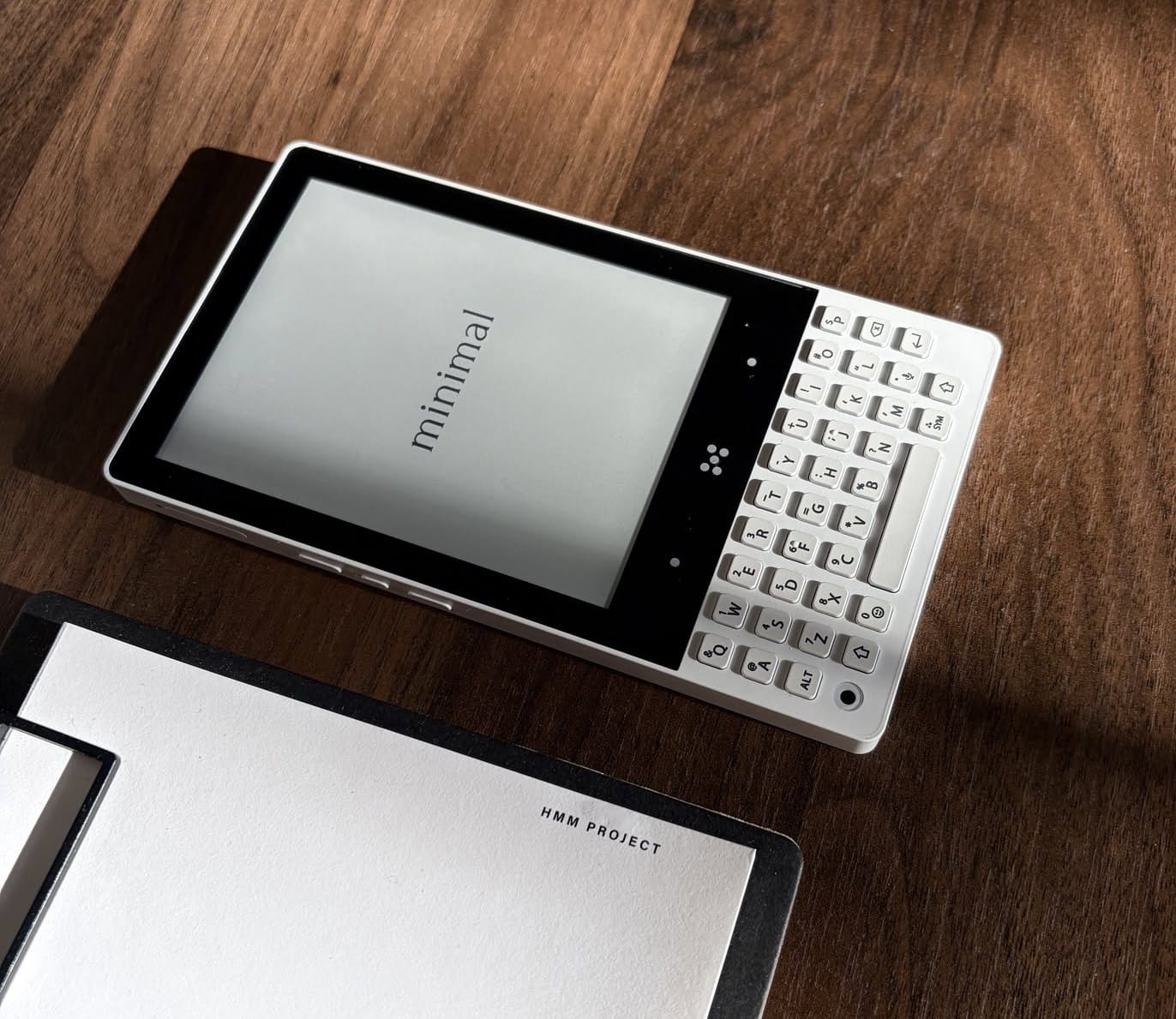
The Minimal Phone is a product I've been eagerly waiting for and has finally shipped. I've always wanted some kind of physical keyboard device that I could use as a pocketable e-reader. I feel like eink + touchscreen keyboards don't go along that well without some crazy software/hardware tricks to improve the responsiveness, but I have yet to see a device that solved the touch typing responsiveness issue for e-ink displays. Thus a physical keyboard was critical to me.
The main problem that I encountered with the MP01 was that its keyboard application only supports latin-based languages.
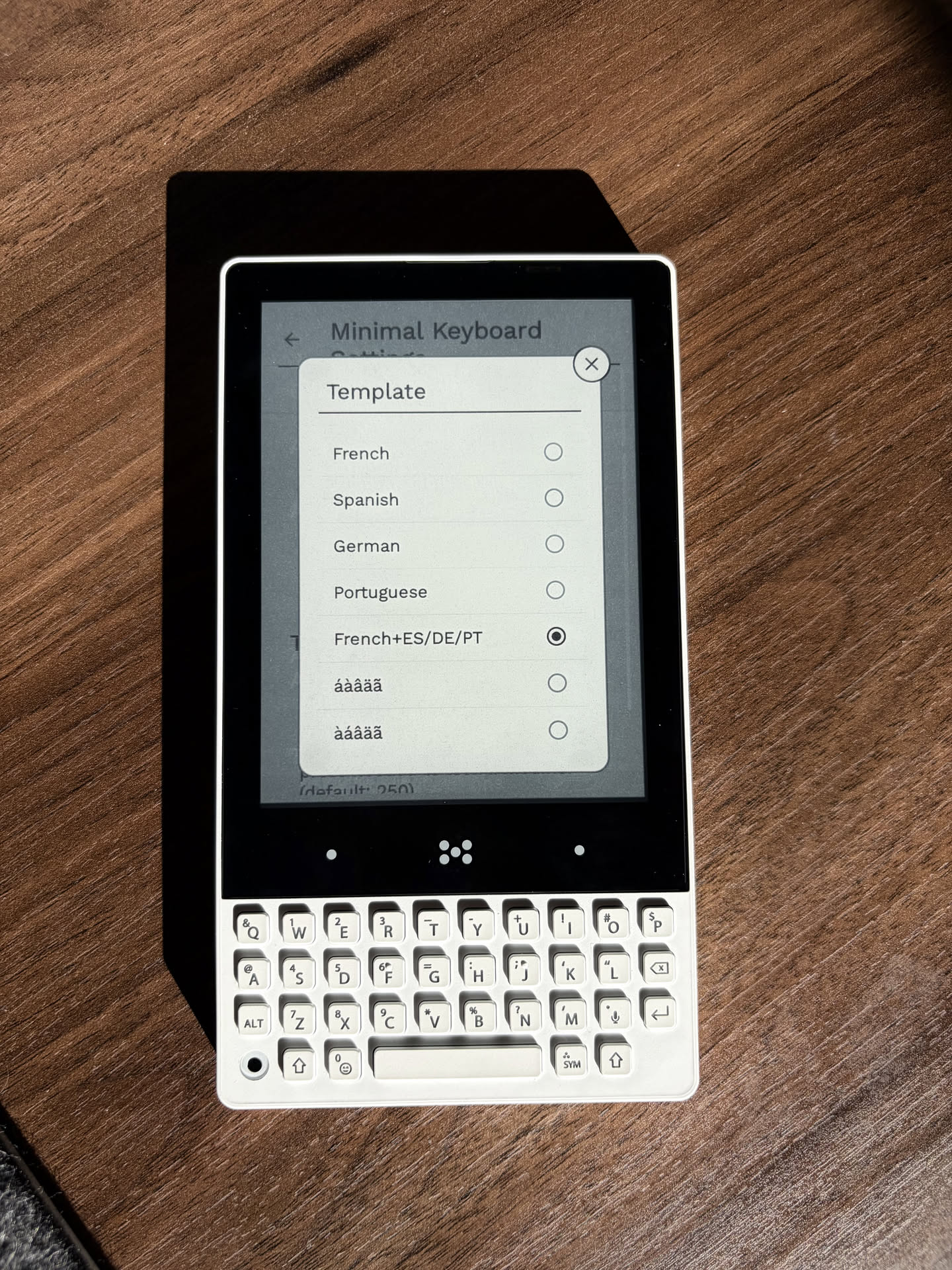
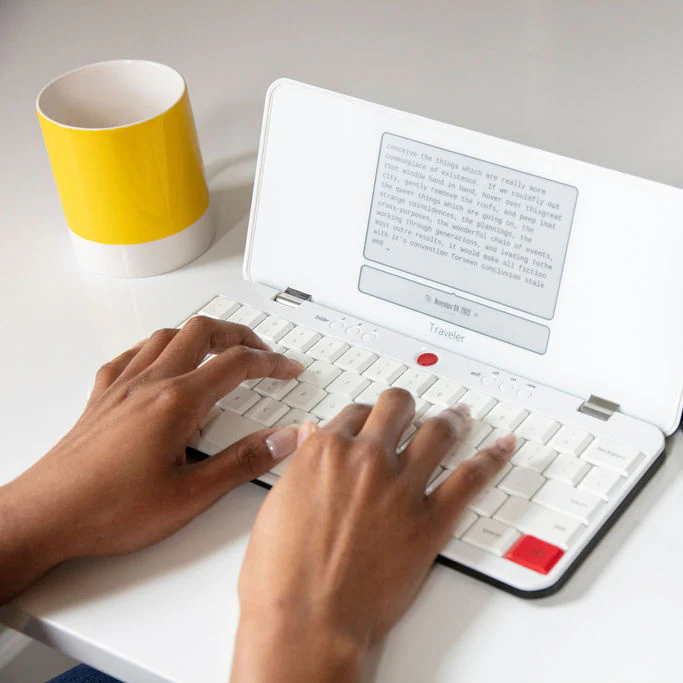
It comes to no surprise though, the device hasn't been marketed outside of English speaking countries, and many other devices with a hardware keyboard like the Freewrite Traveler also only supports latin input.
Because the MP01 is running Android, there are alternative keyboard application options out there for multilingual support though, such as Gboard, the de-facto third party keyboard especially for Korean input.
However, the physical key layout of the MP01 prevents seamless use of Gboard though - Gboard uses the Ctrl key (or the Search key which usually has a magnifying glass icon) for majority of keyboard shortcuts, especially ctrl+space to swap between selected languages. However, the MP01 does not have a Ctrl key on its physical key layout, providing no option to swap the input language.
Luckily, there are community projects aimed to add support for other languages, as well as other customizable keyboard shortcuts, specifically for the MP01.
rickybrentThere was even a commit implemented by a community member for Cryllic input, and I knew I had to solve the matter with my own hands to add Korean input support.
2-beolsik
Before going further, we first need to understand how Korean input works. Unlike most other languages in the world, a single character is synonymous to an English syllable, combining vowels and consonants to represent a single unicode character.
For instance, the consonant ㄱ (pronounced 'g') and vowel ㅗ (pronounced 'oh') and consonant ㄹ (pronounced 'l') combines into "골", pronounced "g-oh-l", or "goal", actually referring to the same vocabulary representing a score in soccer/football.
While the "input" utilizes three separate key strokes ㄱ + ㅗ + ㄹ, it combines into a single unicode character 골.


In many western languages, a single keypress, or a keypress alongside a modifier key, maps essentially 1:1 with a complete character of the appropriate nation's alphabet. However, just like other Asian languages like Chinese or Japanese, Korean input requires a combination of sequential keystrokes that is handled to combine into a valid character.
Korean Characters 101
The IME software works by dynamically tracking the sequence of consonant and vowel keystrokes, combining them according to the phonological rules of the Korean language.
To quickly explain the most important phonological rule of the Korean characters, all characters (syllable blocks) follow the Consonant + Vowel+ Consonant rule (CVC rule for short).
For those that are wondering, a silent consonant is used if a character must begin with a phonetic vowel sound.
The vowel can be a compound vowel (combination of two vowels), and the last consonant block can also be compound, combining two consonants.
A very common example used within the Korean community is "뷁", which is:
ㅂ + ㅜ ㅔ + ㄹ ㄱ
- ㅂ is the starting consonant (C)
- ㅜ + ㅔ is a compound vowel (V)
- ㄹ + ㄱ is a compound consonant (C)
There are official terminologies for these three blocks:
- Initial Consonant (초성 - choseong)
- Medial Vowel (중성 - jungseong)
- Final Consonant (종성 - jongseong / batchim)
Syllable Constructor
The main role of the input software is knowing when to start a new syllable block and when to stop forming the current one.
The psuedocode for syllable generation looks something like the below:
// State Variables: -1 indicates empty/unassigned
int C1 = -1, V = -1, C2 = -1;
StringBuilder outputBuffer = new StringBuilder();

void processJamo(int newJamo, boolean isConsonant) {
    if (isConsonant) {
        if (V == -1) { // Stage 1: C1-C1 or just C1
            if (C1 != -1) commitSyllableBlock(C1, -1, -1); // Commit previous C1 as Jamo
            C1 = newJamo;
        } else if (C2 == -1) { // Stage 2: C1-V -> C1-V-C2
            C2 = newJamo;
        } else { // Stage 3: C1-V-C2 + C -> Commit C1-V-C2, start new C1
            commitSyllableBlock(C1, V, C2);
            C1 = newJamo;
        }
    } else { // Vowel input
        if (C1 == -1) { // Stage 4: Vowel pressed first. Commit it as a standalone Jamo (V)
            commitSyllableBlock(-1, newJamo, -1);
            // C1, V, C2 remain -1 (empty) to await next input
        } else if (C2 == -1) { // Stage 5: C1 -> C1-V or C1-V + V
            if (V != -1 && attemptCombineVowels(V, newJamo) != -1) {
                V = attemptCombineVowels(V, newJamo);
            } else {
                V = newJamo;
            }
        } else { // Stage 6: C1-V-C2 + V -> Commit C1-V, C2 becomes new C1
            int carryOverC = C2;
            C2 = -1;
            commitSyllableBlock(C1, V, C2);
            C1 = carryOverC;
            V = newJamo;
        }
    }
}

void commitSyllableBlock(int c1, int v, int c2) {
    if (c1 != -1 || v != -1) { // Commit if C1 or V exists
        // Logic must handle Jamo-only characters (e.g., 'ㄱ' or 'ㅏ') vs. Syllables ('가')
        outputBuffer.append(convertJamoOrSyllableToUnicode(c1, v, c2));
    }
    // Reset state only if committing a *full* block
    if (C1 != -1 && V != -1) C1 = V = C2 = -1;
}
The above code roughly works like the following:
- If the keystroke is a Korean consonant, we determine if we are currently already constructing a syllable, or if it's a fresh new one by checking/setting C1 or C2.
- If it's a fresh new one, we set the input character to C1.
- If the next keystroke is a vowel, set it to V. Otherwise, commit the current C-V-C values as a syllable before handling the new consonant.
- If the previous keystroke(s) constructed a C-V pair and the next keystroke is a new C, set the new character as C2
At the end of the day they are just basic if/else checks to determine where within the CVC block we are currently at, and based on the next keystroke, determining if we've completed a full syllable block and need to start a new one.
There are a bit more details to the actual implementation, such as symbols (including space and punctuation) being an indication of completing and committing the current syllable.
One last detail, which comes down to implementation preferences, is how backspace and shift-modifier keys are handled. This can go a little too deep into language specific nuances, but the point is that Mac and Windows (and Android) handles backspace, and compound consonant typing differently. Those differences come down to how the syllable processing is implemented, and in my case, I decided to mimic the Windows/Android IME behavior.
Converting to unicode
The last piece of the puzzle is how to actually display the text on the screen. To do that, we need to convert the current syllable into an actual unicode character that can be represented as a string/char.
In a unicode based Korean IME (thank god Korea decided to phase out their own custom encoding for unicode), each C, V, and C has a mapping of all possible consonants and vowels to a specific ordered index:
companion object {
    // Choseong indices 0..18 in Unicode order
    const val CHO_ㄱ = 0
    const val CHO_ㄲ = 1
    const val CHO_ㄴ = 2
    const val CHO_ㄷ = 3
    const val CHO_ㄸ = 4
    const val CHO_ㄹ = 5
    const val CHO_ㅁ = 6
    const val CHO_ㅂ = 7
    const val CHO_ㅃ = 8
    const val CHO_ㅅ = 9
    const val CHO_ㅆ = 10
    const val CHO_ㅇ = 11
    const val CHO_ㅈ = 12
    const val CHO_ㅉ = 13
    const val CHO_ㅊ = 14
    const val CHO_ㅋ = 15
    const val CHO_ㅌ = 16
    const val CHO_ㅍ = 17
    const val CHO_ㅎ = 18

    // Jungseong indices 0..20 in Unicode order
    // Unicode Jungseong indices (21 entries: 0..20)
    const val JUNG_ㅏ = 0
    const val JUNG_ㅐ = 1
    const val JUNG_ㅑ = 2
    const val JUNG_ㅒ = 3
    const val JUNG_ㅓ = 4
    const val JUNG_ㅔ = 5
    const val JUNG_ㅕ = 6
    const val JUNG_ㅖ = 7
    const val JUNG_ㅗ = 8
    const val JUNG_ㅘ = 9
    const val JUNG_ㅙ = 10
    const val JUNG_ㅚ = 11
    const val JUNG_ㅛ = 12
    const val JUNG_ㅜ = 13
    const val JUNG_ㅝ = 14
    const val JUNG_ㅞ = 15
    const val JUNG_ㅟ = 16
    const val JUNG_ㅠ = 17
    const val JUNG_ㅡ = 18
    const val JUNG_ㅢ = 19
    const val JUNG_ㅣ = 20

    // Jongseong indices: -1 means none. In Unicode order 0..27 map to actual final (but we use 0..27 as we add +1 when composing)
    const val JONG_NONE = -1
    const val JONG_ㄱ = 0
    const val JONG_ㄲ = 1
    const val JONG_ㄳ = 2
    const val JONG_ㄴ = 3
    const val JONG_ㄵ = 4
    const val JONG_ㄶ = 5
    const val JONG_ㄷ = 6
    const val JONG_ㄹ = 7
    const val JONG_ㄺ = 8
    const val JONG_ㄻ = 9
    const val JONG_ㄼ = 10
    const val JONG_ㄽ = 11
    const val JONG_ㄾ = 12
    const val JONG_ㄿ = 13
    const val JONG_ㅀ = 14
    const val JONG_ㅁ = 15
    const val JONG_ㅂ = 16
    const val JONG_ㅄ = 17
    const val JONG_ㅅ = 18
    const val JONG_ㅆ = 19
    const val JONG_ㅇ = 20
    const val JONG_ㅈ = 21
    const val JONG_ㅊ = 22
    const val JONG_ㅋ = 23
    const val JONG_ㅌ = 24
    const val JONG_ㅍ = 25
    const val JONG_ㅎ = 26
}
These indices can be processed with a simple formula to calculate the unicode character code:

private char calculateUnicode(int c1, int v, int c2) {
    // The calculation using the formula:
    // Codepoint = 0xAC00 + (C1_Index * 588) + (V_Index * 28) + C2_Index

    // C1_Index is choseongIndex (0-18)
    // V_Index is jungseongIndex (0-20)
    // C2_Index is jongseongIndex (0-27, where 0 is 'no jongseong')

    int unicodeOffset = (c1 * 588) + (v * 28) + (c2 == -1 ? 0 : c2);
    return (char) (0xAC00 + unicodeOffset);
}
Conclusion
The full code can be found in this file:
meldavyThis was both a good learning exercise to me on learning, understanding, and implementing the IME that I've used throughout my entire life, and also being able to familiarize myself around Android's virtual keyboard application frameworks.